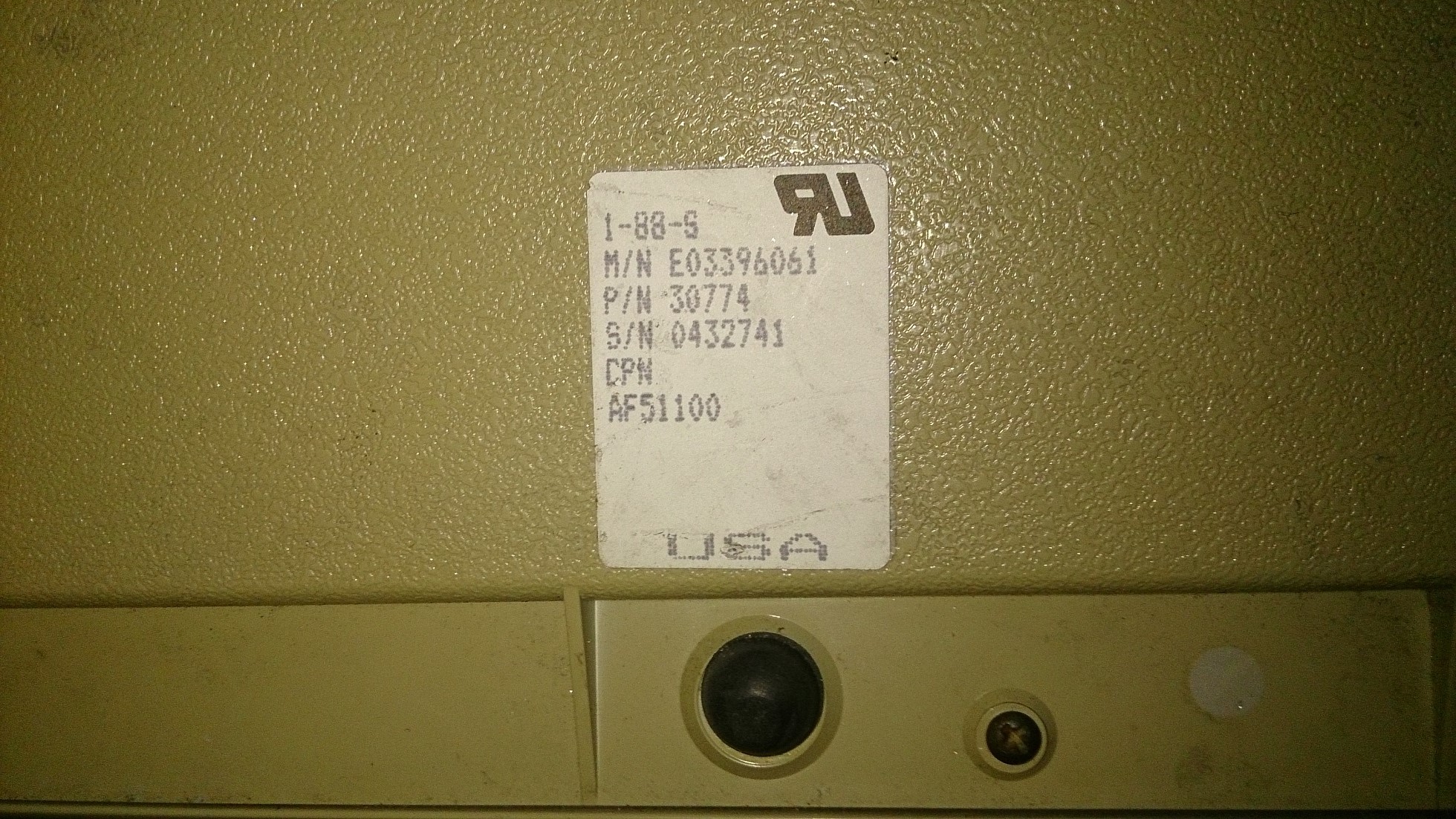
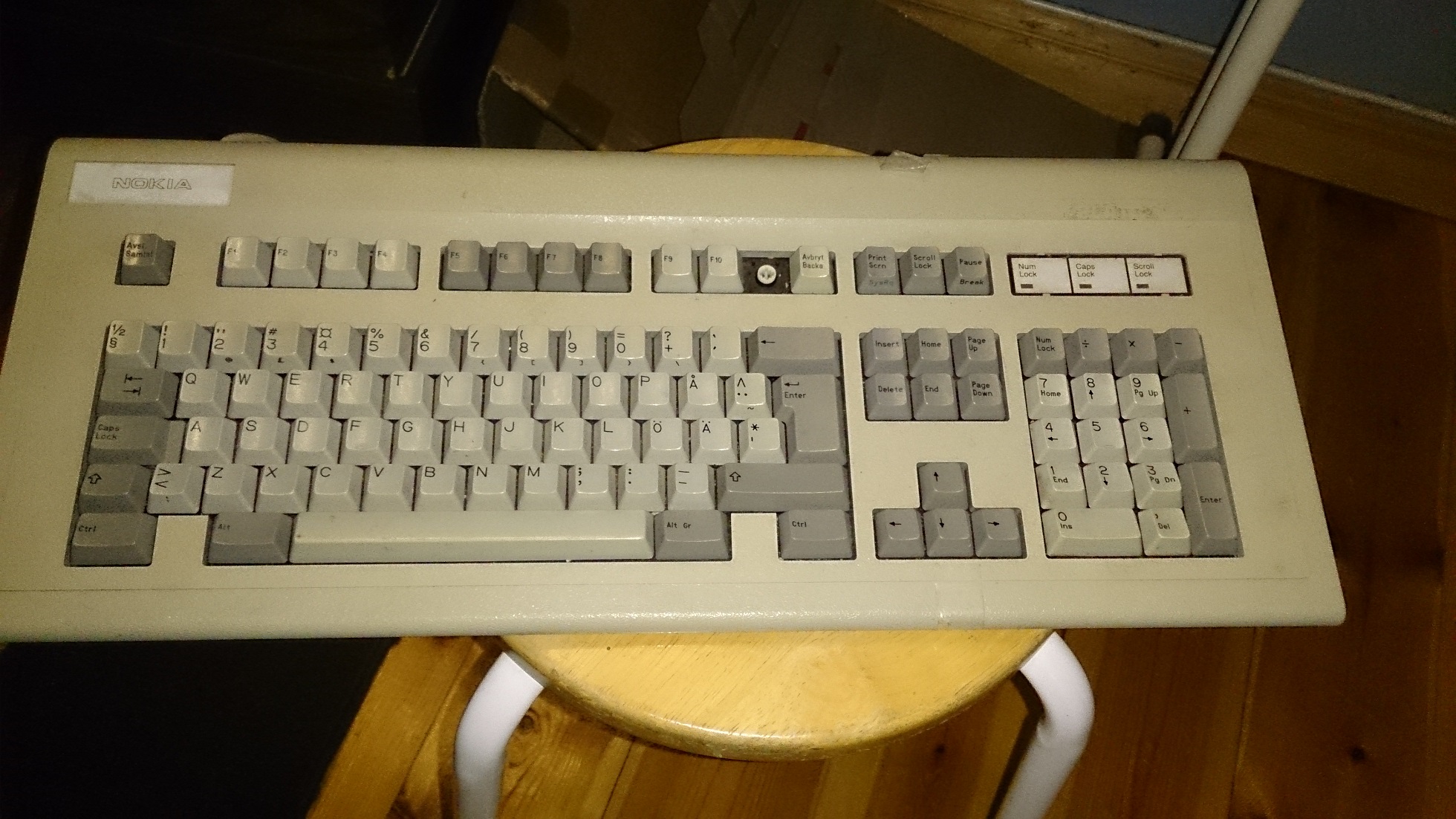
ok, i recently acquired this nokia branded Keytronic board which i think (going by the extra keys (one's missing)),was used in one of their old Telephone switches.
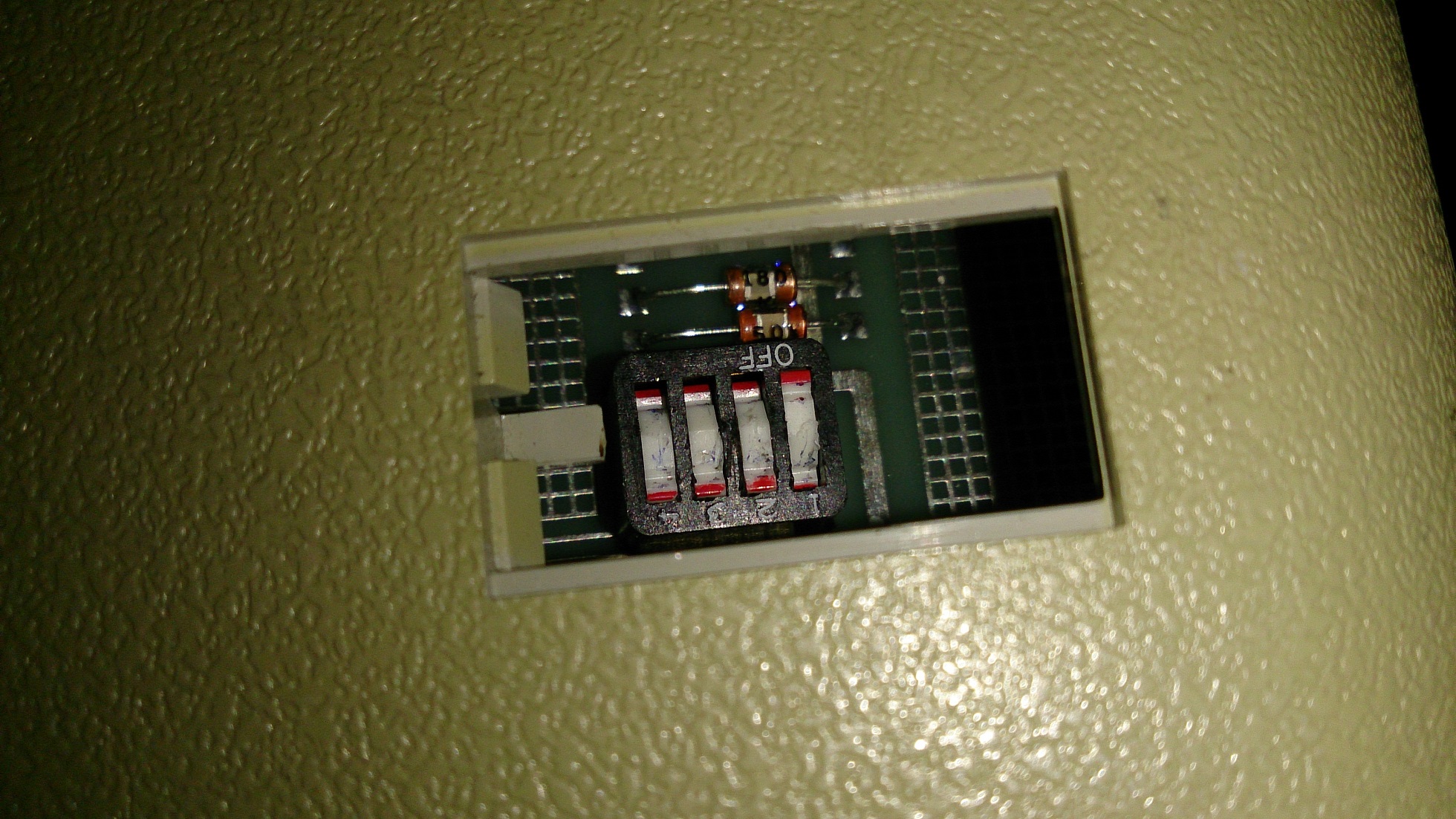
The problem though comes when i try to plug it in, my computer goes haywire since (as far as i can understand) it seems to be trying to activate every key at once. And the only way to regain control is to pull it out again.
There are four DIP switches under a hatch on the back, but they don't seem to help much.
I am pretty sure i have already tried every configuration and the result is either the same chaos-effect or the computer simply fails to recognize the board.
Any ideas what the problem might be?
In need of some Help with this thing
- Chyros
- Location: The Netherlands
- Main keyboard: whatever I'm reviewing next :p
- Main mouse: a cheap Logitech
- Favorite switch: Alps SKCM Blue
- DT Pro Member: -
Interesting, my own Key Tronic foam and foil board had the same problem. It also had a bunch of DIP switches but no combination would get it to work.
While we're at it; do the switches in yours feel any good?
-
Jimi14
- Location: Sundsvall, Sweden
- Main keyboard: SUH 105DA W39-463
- Main mouse: AeroCool Templarius Gladiator
- Favorite switch: Dont know (yet)
- DT Pro Member: -
Well, cant say i have had much experience with Foam/Foil boards before but yea, i like it.
They feel like very smooth rubber-domes that also bottoms out really hard.
- Chyros
- Location: The Netherlands
- Main keyboard: whatever I'm reviewing next :p
- Main mouse: a cheap Logitech
- Favorite switch: Alps SKCM Blue
- DT Pro Member: -
Wow, just wow. That's in 100% contrast to everything I've found on mine xD. Mine was very scratchy and spongy because of the foam at the bottom. Is yours the tactile version?
- Compgeke
- Location: Fairfield, California, USA
- Main keyboard: IBM Model M 1391401
- Main mouse: Coolermaster Recon
- Favorite switch: IBM Buckling Spring
- DT Pro Member: 0040
Is it known whether or not this particular board is AT (PS/2) or not? If it's a proprietary protocol for the Nokia setup it'd make sense if it doesn't work right.
If it is plain AT or PS/2 I'd check out the foam\foil pads to see if they deteriorated and some fell on the PCB. These boards didn't age well and being as they work on capacitance it's possible for foam chunks or foil touching the board to cause issues.
-
Jimi14
- Location: Sundsvall, Sweden
- Main keyboard: SUH 105DA W39-463
- Main mouse: AeroCool Templarius Gladiator
- Favorite switch: Dont know (yet)
- DT Pro Member: -
Um, in that case please don't take my word of quality for granted.Chyros wrote:Wow, just wow. That's in 100% contrast to everything I've found on mine xD. Mine was very scratchy and spongy because of the foam at the bottom. Is yours the tactile version?
And yes, its tactile. Forgot to mention that.
-
Jimi14
- Location: Sundsvall, Sweden
- Main keyboard: SUH 105DA W39-463
- Main mouse: AeroCool Templarius Gladiator
- Favorite switch: Dont know (yet)
- DT Pro Member: -
Its a din-5 connector, i cant speak for the protocol.Compgeke wrote: Is it known whether or not this particular board is AT (PS/2) or not? If it's a proprietary protocol for the Nokia setup it'd make sense if it doesn't work right.
If it is plain AT or PS/2 I'd check out the foam\foil pads to see if they deteriorated and some fell on the PCB. These boards didn't age well and being as they work on capacitance it's possible for foam chunks or foil touching the board to cause issues.
Oh and any help on how to do this? can the switches be opened safely?
- Chyros
- Location: The Netherlands
- Main keyboard: whatever I'm reviewing next :p
- Main mouse: a cheap Logitech
- Favorite switch: Alps SKCM Blue
- DT Pro Member: -
Just open up the rear of the keyboard. The switch itself is just a plunger with capacitive pad over a PCB.Jimi14 wrote:Its a din-5 connector, i cant speak for the protocol.Compgeke wrote: Is it known whether or not this particular board is AT (PS/2) or not? If it's a proprietary protocol for the Nokia setup it'd make sense if it doesn't work right.
If it is plain AT or PS/2 I'd check out the foam\foil pads to see if they deteriorated and some fell on the PCB. These boards didn't age well and being as they work on capacitance it's possible for foam chunks or foil touching the board to cause issues.
Oh and any help on how to do this? can the switches be opened safely?
If you're interested, watch my foam and foil video
-
Jimi14
- Location: Sundsvall, Sweden
- Main keyboard: SUH 105DA W39-463
- Main mouse: AeroCool Templarius Gladiator
- Favorite switch: Dont know (yet)
- DT Pro Member: -
Ok, i did as you said and removed the shell but then i found something else: A big steel plate screwed onto the pcb.Chyros wrote:Just open up the rear of the keyboard. The switch itself is just a plunger with capacitive pad over a PCB.Jimi14 wrote:Its a din-5 connector, i cant speak for the protocol.Compgeke wrote: Is it known whether or not this particular board is AT (PS/2) or not? If it's a proprietary protocol for the Nokia setup it'd make sense if it doesn't work right.
If it is plain AT or PS/2 I'd check out the foam\foil pads to see if they deteriorated and some fell on the PCB. These boards didn't age well and being as they work on capacitance it's possible for foam chunks or foil touching the board to cause issues.
Oh and any help on how to do this? can the switches be opened safely?
If you're interested, watch my foam and foil video.
I cant tell from your video if your's had one to, so should i remove it? (That's a lot of screws)
- Chyros
- Location: The Netherlands
- Main keyboard: whatever I'm reviewing next :p
- Main mouse: a cheap Logitech
- Favorite switch: Alps SKCM Blue
- DT Pro Member: -
That's the mounting plate. My Key Tronic was built the same way (and it had what looked like the exact same PCB). You can't really remove the steel plate, but if you remove all the little screws from the PCB you can see right inside all the switches.
-
Jimi14
- Location: Sundsvall, Sweden
- Main keyboard: SUH 105DA W39-463
- Main mouse: AeroCool Templarius Gladiator
- Favorite switch: Dont know (yet)
- DT Pro Member: -
Ok, i have fully opened it now and i cant see any problems with the foam/foil pads.
what i can see though is the pcb itself. The contact points are all dirty, scratched up and some seems to even have eroded somewhat.
Some alcohol rubbing maybe?
what i can see though is the pcb itself. The contact points are all dirty, scratched up and some seems to even have eroded somewhat.
Some alcohol rubbing maybe?